It has been quite a journey. Thank you to all who have engaged my services over the years, it's been a pleasure working with you. This blog is now an archive.

Thursday, 21 April 2022


Sunday, 16 August 2020
Stay Safe Online
Staying safe online is something we all strive to do and many of us have our own methods, even if that includes not doing something. Some of us keep a book on one side that contains passwords while others allow the web browser to remember them. The worst offenders amongst us actually have a document on their computer that contains such data - that, latter example is a hackers paradise.
It does not help much when one considers that, it is a fact, many people do not understand the fundamentals of making their online experience safe for whatever they do. I have come across many who give someone else the money who will then place the online order.
So, how do you begin? With Windows 10 - make sure it is up-to-date. Extra security software is good for doing shopping or online banking. Your bank may offer free internet security software so check out their website. There is also AVG, Avast and Kaspersky who all offer free versions of their internet security suites. My personal choice would be and is Sophos or Eset, there is a write up on my other website, Click here to read it.
Below you will find my basic guide to cyber security.
Cyber Security Basics (PDF)
Sophos Security - 45% off until December 8th 2020
Chromebook users
If you are using a Chromebook then, providing it is up-to-date you are well protected. I say well protected because no matter how much protection one has on whatever device, it is never guaranteed 100% safe.
Password Managers
It is a really good idea to use a password manager to store all your passwords. Are they safe? Well, generally the whole password vault is encrypted at your end, it is then sent to your cloud account for storage. If you only have 50 passwords then a notebook beside the computer will probably do but I still recommend a password manager.
Lastpass is just one example of a password manager, use the link below to see how it works.
This YouTube video will go some way to explaining how a password manager works.
2020 computer services
I have now been repairing computers for almost 20 years. Things have moved on a lot in that time and one has to adapt. I no longer have premises in the town as I used to, I now work from home.
Also, I no longer build or supply computers, I just advise on what should be bought and then set it up or, with regard to maintenance, I just solve problems and fix things.
There are new ways of getting things done now and this means that you may not need a new laptop or PC, there are other choices.
So, if you feel you need a bit of tech help then please get in touch via this link.
Wednesday, 25 July 2018
Android Apps - Really useful ones
Two Apps that make your Android phone or tablet much easier to use.


(Click on the images to enlarge)
The first of these is 'Calendar Companion'. I started using this when I first moved from a Nokia E? - I cant even remember the model, anyway that old Nokia had a feature in its calendar whereby I could search many years back and forth just by typing in a name or part of the address, all appointments I had relating the search term would be listed. Once I moved to Android (had an iPhone for a while) I could not find the same function, I missed it. So after a search I found this and I have been using it ever since I think I purchased the premium version as I have been so pleased with it and I am happy to support the developer. There are setting in the app to define your preferred search criteria.
The second app is a relative newcomer. Files Go by Google. If you ever wanted a good tool for clearing out all those caches and other stuff that's already been backed up to Google Drive then I guess this has to be it. No advertising and teasing you to buy yet another booster for your software that you don't need. Just search for these two in the Play Store on your device.
Friday, 20 July 2018
Eset Mobile Security - One month free
Hey, I use this great app ESET Mobile Security that protects my device. You can unlock 1 month of Premium protection for free if you insert 8KVEET5R into the app or install it from here http://go.eset.eu/ems-gp-promo?c=8KVEET5R Enjoy!
Sophos : Business Grade Security at Home
Business Grade Security at Home
One subscription of £40 covers 10 computers
Sophos Home, as it is called is not a name that springs to the mind of most home computer users. If you ask anyone what they use then you are likely to hear names like AVG, Avast or Norton and McAfee or Bit Defender and Panda. The reason for this is that Sophos has primarily been a business grade product that is designed around business users. The good thing about it being designed around a business product is that the software does not produce regular pop-ups trying to sell you yet another feature. Sophos Home is also run under the same centralised system the company uses for its business customers. Further to this one gets a central online place where actions and configurations for each computer under the account can be carried out, this is very useful for parents who can block the children’s computer from accidentally accessing inappropriate sites and many other features.
While Sophos will deal with all the important stuff straight away there are some things it simply flags up for instance a pup (potentially unwanted program), it could be the setup file that’s languishing in the downloads folder of a family members computer. In this instance the owner of the Sophos account gets an email to bring attention to it, from here one has only to log into the online control panel and instruct Sophos to ignore it or delete it. This is just one of the brilliant features in the control centre. Standard protection that constantly runs with these features:
Antivirus: Blocks known viruses, threats, trojans and worms.
Web Protection: Blocks websites known to have malware.
Ransomware Protection: Stops ransomware encrypting your files.
Privacy Protection: Alerts you to unwanted use of your webcam.
Malicious Traffic Detection: Detects and stops programs connecting to malicious remote servers.
One subscription of £40 covers 10 computers
Thursday, 19 July 2018
Spam in Outlook ?

Is your inbox bulging? Here's some help.
This is relevant to webmail and not the Outlook program that is part of Office.
Click images to see bigger versions.
Click images to see bigger versions.
If you have a Hotmail, Live or Outlook email address and you are getting loads of unwanted emails then there is a simple solution. There are many ways to deal with Spam effectively and this is just one. In the image above I have selected one email by ticking the box next to it, then, using the Sweep button I get this menu:

This is a great option, you can all the messages in the inbox from the same sender and as you can see there is an option to delete all messages from the selected sender and any future ones or keep the latest and delete the rest or delete messages older than 10 days.
This really does take the heat out of dealing with spam - unwanted emails, it even saves you from unsubscribing which can be a bit of a chore, you know, finding the links etc. I have personally used this tool to completely clear up my 10+ year old inbox, when you take an action with this sweep menu it automatically creates a rule that is applied in perpetuity until you change it, should you want to by clicking on the 'view rules' link.
Have fun clearing up your inbox :-)
Be the boss of your email.
Don't get caught out, please link your mobile phone to your email address. One can do this by going into the account settings of your account and there will be an option there somewhere to add your mobile phone number - it does not have to be a smartphone, just so long as it can receive a text message. All major email services offer this and if you find yourself locked out because of a password issue your phone will prove an invaluable help to get you back in.
Be the boss of your email.
Don't get caught out, please link your mobile phone to your email address. One can do this by going into the account settings of your account and there will be an option there somewhere to add your mobile phone number - it does not have to be a smartphone, just so long as it can receive a text message. All major email services offer this and if you find yourself locked out because of a password issue your phone will prove an invaluable help to get you back in.
Wednesday, 18 July 2018
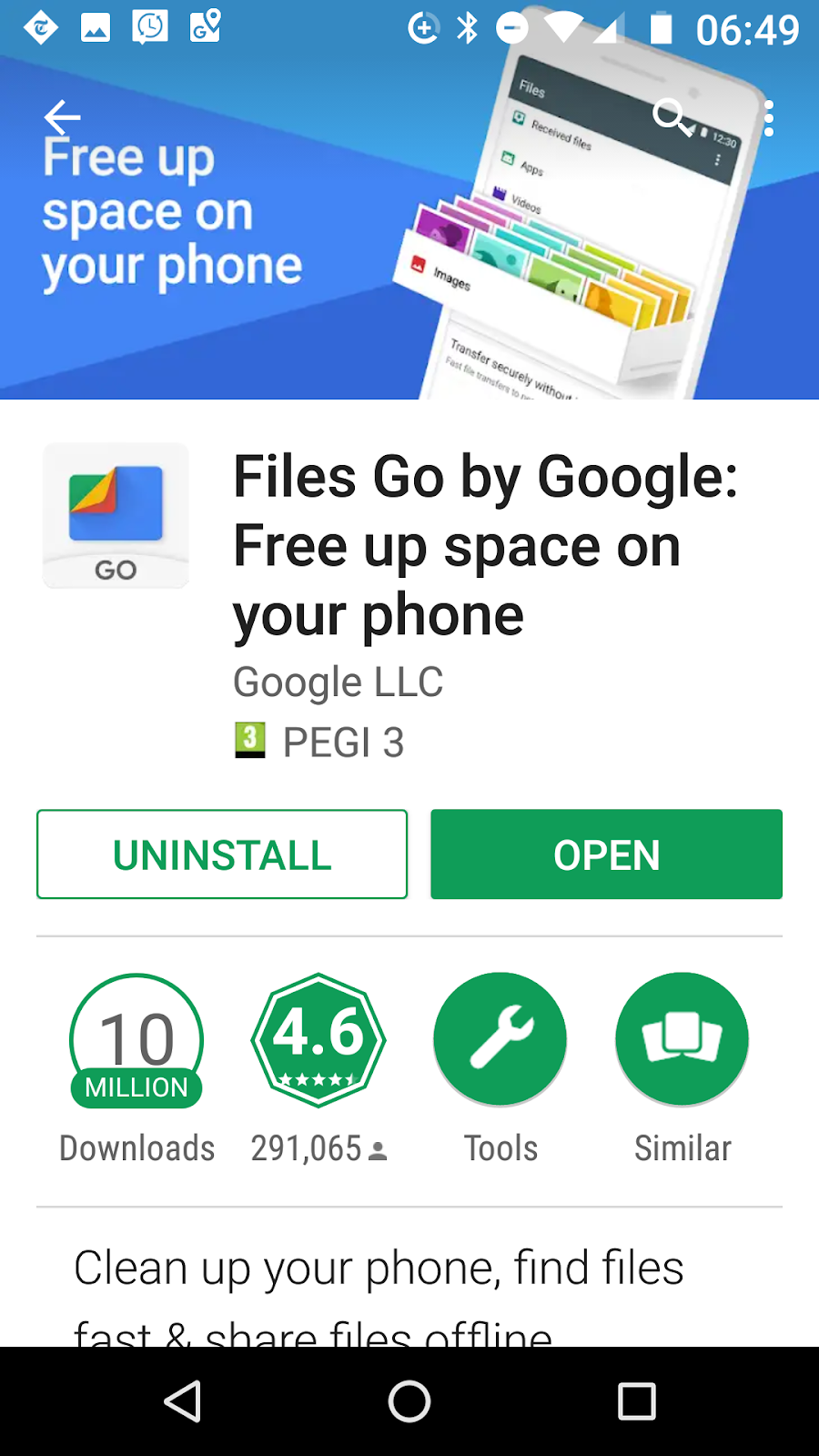
Free up space on your Android
A great way to keep free space on your mobile. Files Go. Use this along with Google Photos. Both these apps have no advertising and both are made by Google, fabulous tools - why have anything else.
Friday, 27 May 2016
Print out a free Quick Reference Keyboard Shortcut Sheet
direct link to a PDF Here
If you ever forget how to copy and paste etc then this should help. download it and print it off.

If you ever forget how to copy and paste etc then this should help. download it and print it off.

Thursday, 26 May 2016
Is your text too big or small on the internet?
Does the text on your web browser look too small or too big?
1. Hold down 'CTRL'
2. Tap the - + keys (After the number keys)
There you are. An easy way to adjust your text size on line.
Why use Free Antivirus when you can use Free Internet Security
Loads of us use the free offerings from AVG, Avast and Panda and we put up with the nag screens that keep offering premium features for a discount or trial period.
What I find some people don't realise or simply forget is that they could get a full internet security suite from one of two places. Many banks offer free Internet Security Software with on line banking and many Internet Service Providers also offer free Internet Security software with your subscription. If you are running free software then you should check with your ISP or bank and see what's on offer with your current level of service.
Current as of 26/05/2016
Talktalk have a product called HomeSafe that you set up on line via your account and also a downloadable product called SuperSafe Boost (provided by F-Secure) that you can install on your computer for added protection. Check out your level of service as some subscribers can protect up to 8 devices with SuperSafe Boost.
BT provide McAfee Internet Security in the form of BT Net Protect Plus. Also BT Protect that you can activate from your account on line (nothing to install) and they also offer parental controls. Information of what you have will be available to you once you log into your BT account.
EE offer Norton Security Premium for up to 10 devices.
Any of these security packages can be complimented with the free Trusteer Rapport
What I find some people don't realise or simply forget is that they could get a full internet security suite from one of two places. Many banks offer free Internet Security Software with on line banking and many Internet Service Providers also offer free Internet Security software with your subscription. If you are running free software then you should check with your ISP or bank and see what's on offer with your current level of service.
Current as of 26/05/2016
Talktalk have a product called HomeSafe that you set up on line via your account and also a downloadable product called SuperSafe Boost (provided by F-Secure) that you can install on your computer for added protection. Check out your level of service as some subscribers can protect up to 8 devices with SuperSafe Boost.
BT provide McAfee Internet Security in the form of BT Net Protect Plus. Also BT Protect that you can activate from your account on line (nothing to install) and they also offer parental controls. Information of what you have will be available to you once you log into your BT account.
EE offer Norton Security Premium for up to 10 devices.
Any of these security packages can be complimented with the free Trusteer Rapport
Wednesday, 25 May 2016
Windows 10 is a 'Recommended Update' - Do you want it?
Many computers are now being automatically scheduled to upgrade to Windows 10 whether you as a user wants it or not. The notification app in the bottom right of your screen does have options through its menu to decline this but the trouble is that Microsoft keep changing the options. Unless you use the menu and take a minute to explore the options and permanently decline the upgrade or even schedule it it will be installed at some point by Microsoft. You can make things easy and use the GWX Control Panel to remove this nagging app and carry on blissfully using your computer.
Extended support for Windows 7 ends on the 14th January 2020 and the chances are you will have changed your computer by then. Windows 10 is fine on a computer that can run it efficiently, and one that was built for Windows 10 but there are loads of us that have computers that while they will take the upgrade they will take it very badly. Printer drivers and other third party applications get interfered with, the internet gets cut off and many other problems I have come across.
Extended support for Windows 7 ends on the 14th January 2020 and the chances are you will have changed your computer by then. Windows 10 is fine on a computer that can run it efficiently, and one that was built for Windows 10 but there are loads of us that have computers that while they will take the upgrade they will take it very badly. Printer drivers and other third party applications get interfered with, the internet gets cut off and many other problems I have come across.
Monday, 23 May 2016
Pebble time : A quick review.
Here is a quick review of the Pebble Time smartwatch. (posted on my personal website)
Laptop Buying Guide
This is intended to be used as general information only. Please click the link below to see it on my personal website.
PDF version direct link
http://www.mwatkins.net/computer-advice/laptop-buying-guide/
PDF version direct link
http://www.mwatkins.net/computer-advice/laptop-buying-guide/
Uninstall / Remove Windows 10
If you suddenly find out your computer has upgraded to Windows 10 and you don't want it then it is easy to remove. This is a quick help guide without photos.
1. Click the Windows button and choose 'Settings'.
2. Click the 'Update & Security' option'.
3. Click the 'Recovery' option on the left.
On the right you will find an option to revert to your previous version of Windows be it 7 or 8.1. Click this and follow the prompts (and decline the offer to look for updates). Your computer will reboot and should restore you back to your previous version.
1. Click the Windows button and choose 'Settings'.
2. Click the 'Update & Security' option'.
3. Click the 'Recovery' option on the left.
On the right you will find an option to revert to your previous version of Windows be it 7 or 8.1. Click this and follow the prompts (and decline the offer to look for updates). Your computer will reboot and should restore you back to your previous version.
Monday, 11 January 2016
Friday, 1 January 2016
BBC News: Vishing and smishing: The rise of social engineering fraud
I saw this on the BBC News App and thought you should see it:
Vishing and smishing: The rise of social engineering fraud
Vishing and smishing: The rise of social engineering fraud
Most of us think we're too clever to be scammed, but in fact any of us can get caught out by fraudsters who are increasingly using a type of psychological manipulation known as 'social engineering'.
Disclaimer: The BBC is not responsible for the content of this email, and anything written in this email does not necessarily reflect the BBC's views or opinions. Please note that neither the email address nor name of the sender have been verified.
Monday, 2 November 2015
Stop Windows 10 getting on your computer
Windows 10 is getting a very mixed reception and since it's launch I have taken it off more computers than I have prepared computers for the upgrade. Let's be clear. On good enough hardware, it's good but if you are already using a machine that is not very fast then it's likely going to struggle and even argue with some programs on your pc. It's still early days yet and for many of us the windows 10 notification is still nagging us on a daily basis to take action and get the upgrade.
The update in question is : KB 3035583. You can remove it from your computer and once you have Windows will no longer be nagging you to get Windows 10, but only untill the next batch of updates come through - then that update will be getting installed again. You can then selectively choose not to install it and even right-click the update and choose 'Hide' but every time I do this it simply marches straight back in next time. Clearly, in my view Microsoft is determined to get Windows 10 on all our eligible computers whether we want it or not. So, what can we do?
I have recently come accross a small utility called the 'GWX Control Panel' from a 'Ultimate Outsider'. It's a very small tool that stops the Windows 10 upgrade nag screen, stops Windows upgrading, and if your machine has already downloaded the windows 10 installation files it has an option to remove them. As always I do recommend that you always back up your important files and create a system restore point before using GWX Control Panel. It's a good precaution anyway and especially before using software that makes changes to your system. I have used this without any issue and now my Windows 7 laptop has no sign of Windows 10 anywhere. Below I have included three screenshots of what I did with GWX Control Panel.


The update in question is : KB 3035583. You can remove it from your computer and once you have Windows will no longer be nagging you to get Windows 10, but only untill the next batch of updates come through - then that update will be getting installed again. You can then selectively choose not to install it and even right-click the update and choose 'Hide' but every time I do this it simply marches straight back in next time. Clearly, in my view Microsoft is determined to get Windows 10 on all our eligible computers whether we want it or not. So, what can we do?
I have recently come accross a small utility called the 'GWX Control Panel' from a 'Ultimate Outsider'. It's a very small tool that stops the Windows 10 upgrade nag screen, stops Windows upgrading, and if your machine has already downloaded the windows 10 installation files it has an option to remove them. As always I do recommend that you always back up your important files and create a system restore point before using GWX Control Panel. It's a good precaution anyway and especially before using software that makes changes to your system. I have used this without any issue and now my Windows 7 laptop has no sign of Windows 10 anywhere. Below I have included three screenshots of what I did with GWX Control Panel.


In the above screenshot I did not need the third option as my laptop had not downloaded the Windows 10 files.

Reboot and all is good. Remember to keep the GWX Control panel on your computer. It does not install, it simply runs with a double click.
Thanks to Ultimate Outsider
Friday, 31 July 2015
Microsoft Windows Lifecycle : End of support dates
A quick reference here of end of support dates for whatever version of Windows you are running.
Upgrading to Windows 10 - How it went.
My trusty old Dell Latitude E6400 has had quite a few upgrades. It started with Xp then Vista, 7 before moving up to 8.0 and then 8.1. I had taken advantage when Windows 8 came out of an offer from Microsoft to upgrade from their website for under £30. I was quite happy with 8.1 overall although there were niggles when it came to performing some tasks that were much quicker and requiring fewer clicks with previous versions of Windows. Fast forward to yesterday and I got the notification that Windows 10 was ready to be installed, so here is a brief walk-through of the screens that I was presented with. The whole process took a little over an hour. I would suggest that all available updates should be installed before you upgrade should you choose to do so.
 I should say that Windows is no longer my operating system of choice and I am not saying that it is the best Microsoft have produced as it's too early to say. Mainly I bounce around a Chromebook, iPad and smartphone, the windows computer is a means for doing other things when required.

So, should you upgrade?
If you are using Windows 7 and all is well then stay with it as I don't think you are going to be missing out on much - if you are on Windows 8.1 then its just a choice of whether you want the extra bells and whistles. I see from the news this morning that the good old Microsoft Solitaire games are no longer free, they are now subscription based.
Link to article on Yahoo about this Click here and on PC Gamer site here
When I had a Windows smartphone I did install the solitaire collection on my phone but I don't remember if I paid or not. Anyway I was able to play solitaire on my Windows 10 machine without being asked for any subscription or payment, I was guided through allowing the windows 10 game app to connect to my xbox profile (I have never had an xbox but you get an xbox profile when using a Microsoft game on a Windows smartphone) and away I went, it even found my old game data in my Microsoft account and imported it, so far I have not been asked for a subscription - I hate adverts on my phone and usually if I'm happy enough with an app I will pay for it but not subscribe.
In the main Microsoft are supporting Windows 7 until January 14th 2020 and Windows 8.1 until January 10th 2023 so there is no panic to upgrade. Please see this link for the Windows support end dates. So, if it's not broken then don't fix it. You are better off to make a complete image of your existing hard drive before upgrading to Windows 10 so that if you change your mind everything can be restored - I have heard there is a feature in Windows 10 that will restore you back but there is nothing worse than seeing those words on the screen "Something went wrong"! And you're stuffed. A good old fashioned manual back up is worth it's weight. The latest version of Acronis True Image is a great product for making a complete back up to an external hard drive, your entire system gets backed up - everything.


Subscribe to:
Posts (Atom)
-
I have now been repairing computers for almost 20 years. Things have moved on a lot in that time and one has to adapt. I no longer have pr...
-
Business Grade Security at Home One subscription of £40 covers 10 computers Grab a 20% discount here / A free trial here Sophos ...
-
 Two Apps that make your Android phone or tablet much easier to use. (Click on the images to enlarge) The first of these is ...